Run your paint jobs
without the
notebook.
One simple app to book jobs, share details, and keep your week organized. No spreadsheets. No lost texts. Just $5 a month.



Tuesday, Oct 24
Hey, Mike
Miller — Exterior
1224 Oak Lane
Chen — Touch-up
12 N Alder St
Stop running your business from a messy notebook.
Never double-book again
See exactly what's on your plate this week. If plans change, move a job with one tap.
Share details in seconds
Stop re-typing addresses. Send job info to your client or helper with one button.
Built for the job site
Big buttons, clear text, no tiny menus. Designed for one hand while you're on your feet.
Keep clients happy
Professional job summaries make you look like the organized pro you actually are.
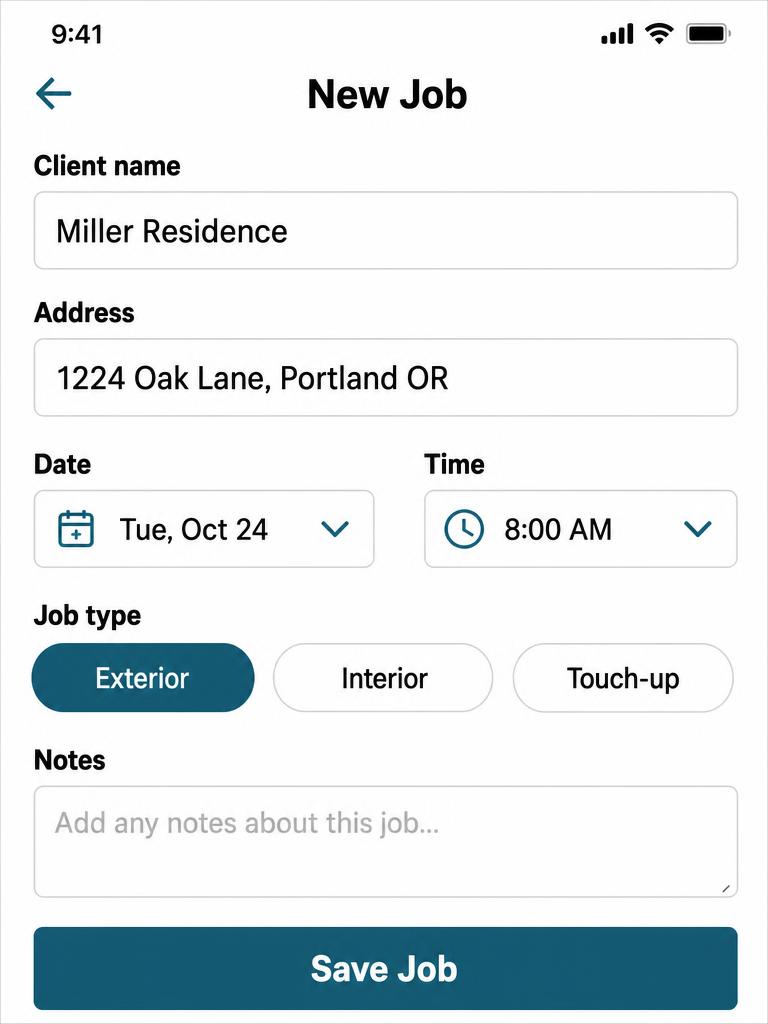
Book jobs fast
Add a job in seconds, right from the truck.
Client, address, date, time. That's it. Save and get back to work.
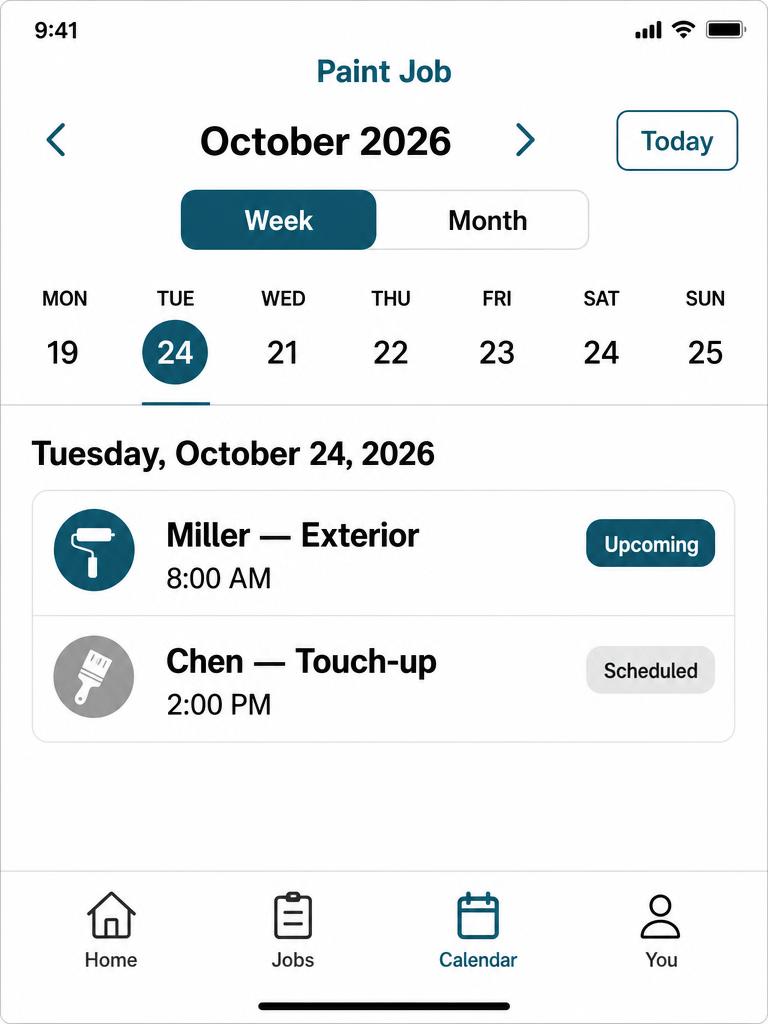
Your week at a glance
A simple calendar. No clutter.
See today, this week, or the whole month. Every job in one place, color-coded by status.
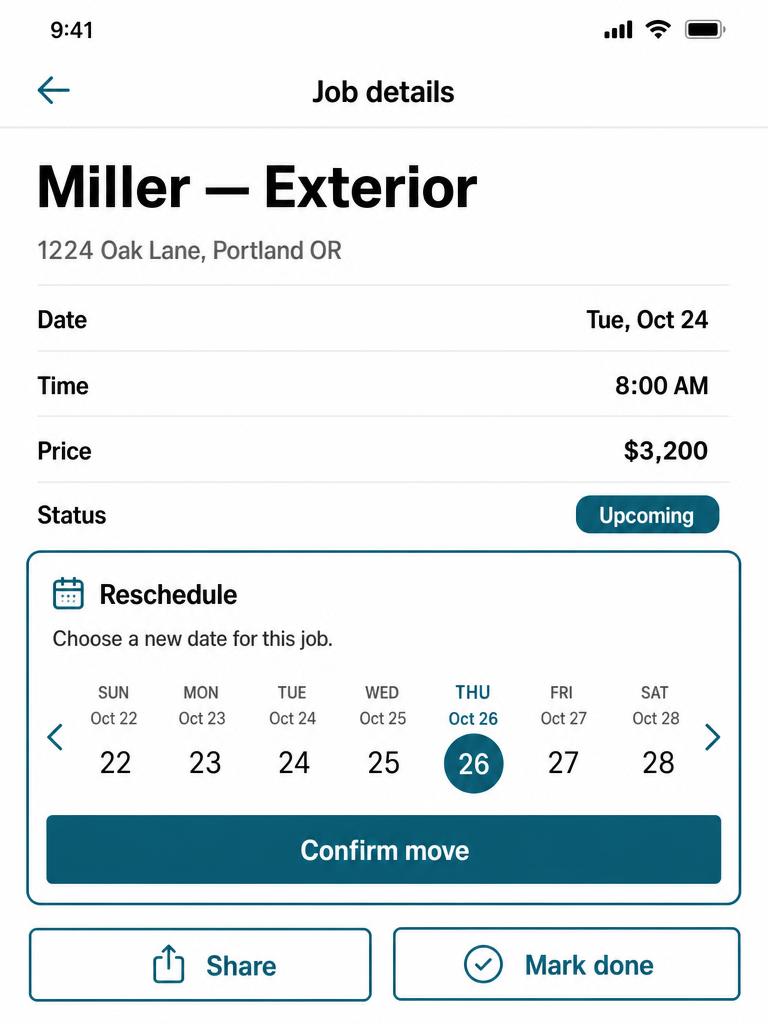
Move jobs easily
Weather changed? Reschedule with a tap.
Open the job, pick a new day, done. The calendar updates itself.
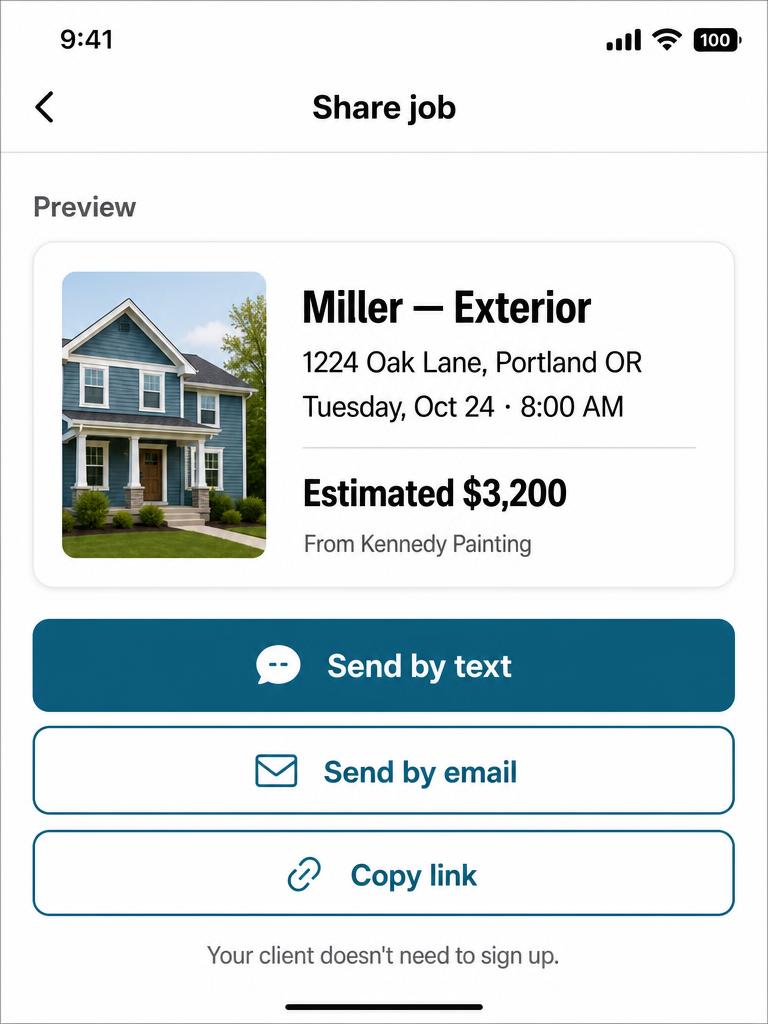
Share job details
Send info to a client or helper in one tap.
Generate a clean, readable summary and send it by text, email, or link. They don't need to sign up.
Three steps. That's it.
Add the job
Client, address, when.
Share or schedule it
Send it, or move it around.
Get it done
Cross it off and move on.
Painters run their week with Paint Job.
“Used to lose an hour a day just answering "what's the address again?" Now I text a link. Done.”
“First tool I've used that doesn't feel like it was built for an office manager. Feels built for me.”
“I run a two-person crew. This is way easier than the group chat we had going.”
$5 / month
Everything you need, nothing you don't.
- Unlimited jobs
- Unlimited clients
- One-tap job sharing
- Mobile calendar & scheduling
No credit card required to start.
Questions painters ask.
Do I need to be tech-savvy?
No. If you can send a text, you can use Paint Job.
Can I use it on my phone?
Yes — it's built for the phone first. Works on desktop too.
Can I cancel anytime?
Yes, from your profile. No calls, no forms.
Is my client info private?
Yes. Only you can see your jobs and clients.